Applying product groups to business units helps ensure sales, budget, and performance data is categorised correctly across locations. Keeping product groups up to date helps maintain accurate reporting, supports operational analysis, and reflects changes in menus, assortments, or business structure.
Start from: The Analytics dashboard
-
Navigate to Configuration > Business Units Product Groups.
-
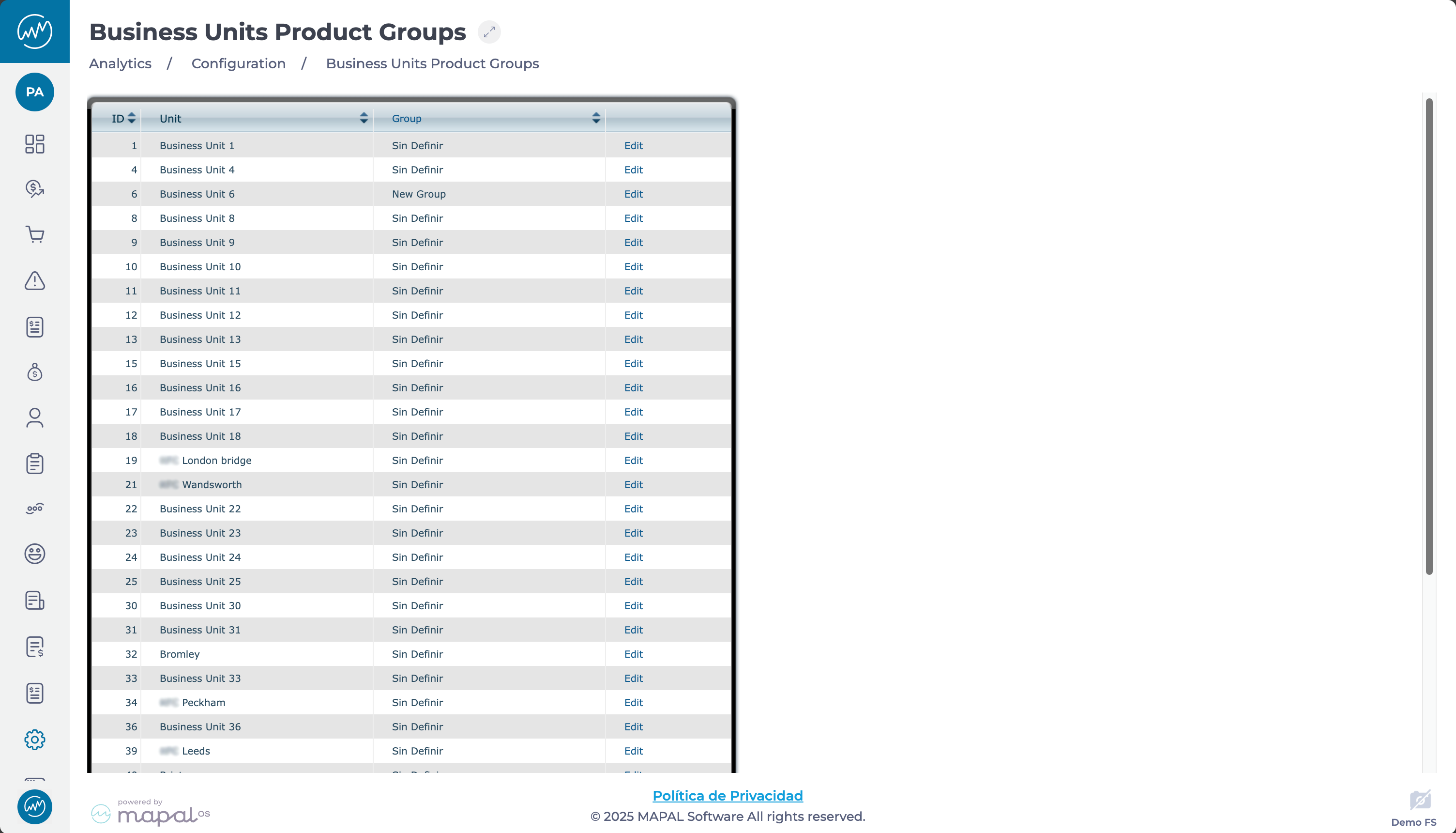
You’ll see a grid displaying all product group assignments across business units. The grid includes the following columns:
-
Id: Unique identifier for the relationship between a business unit and a product group.
-
Business Unit: Name of the business unit.
-
Group: Name of the assigned product group.
-
Edit: Use this action to update the assignment.
-
Edit product group assignments
-
Select the Edit button in the row of the business unit you want to update.
-
Choose a new product group from the popup menu.
-
Select Save to confirm your changes.
Note: Product group assignments can be changed at any time to reflect operational changes or reorganisations.
Originally published at https://help.mapal-os.com/analytics/configuration/business-units-product-groups/assign-product-groups-to-business-units/
Add comment
Please sign in to leave a comment.