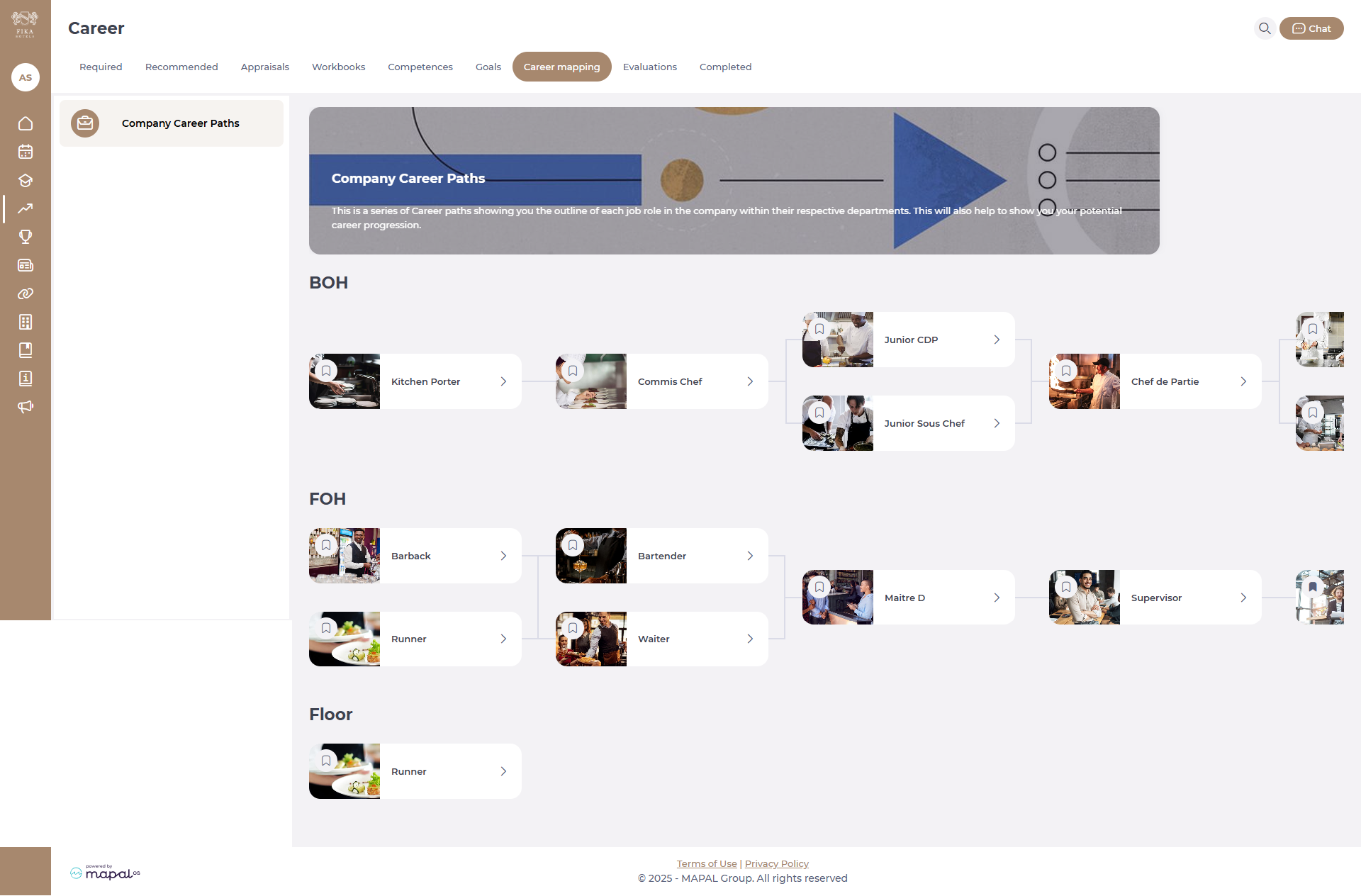
Career maps are a great way to provide employees with clear career paths that they can aspire to. Learners can view the career maps created by their managers in Mapal One, read information on specific job roles and check how well-matched they are for those roles based on their competence ratings.
Start from: the Mapal One dashboard.
- Select Career > Career Mapping on the main menu.
- Select a particular job role to view information provided by a manager about what the role involves and its requirements.
You’ll also see a chart showing the key skills needed for this role and how well a learner’s competences match up to them. This is based on the competence ratings given by both the manager and the learner.
Originally published at https://help.mapal-os.com/mapal-one/career/career-mapping-career/view-career-maps-in-mapal-one/
0
0
Was this article helpful?
0 out of 0 found this helpful
Add comment
Please sign in to leave a comment.