Mapal One allows workersto review the feedback received by their coworkers so that they can learn from others' perspectives and improve their work.
Start from: The Mapal One dashboard.
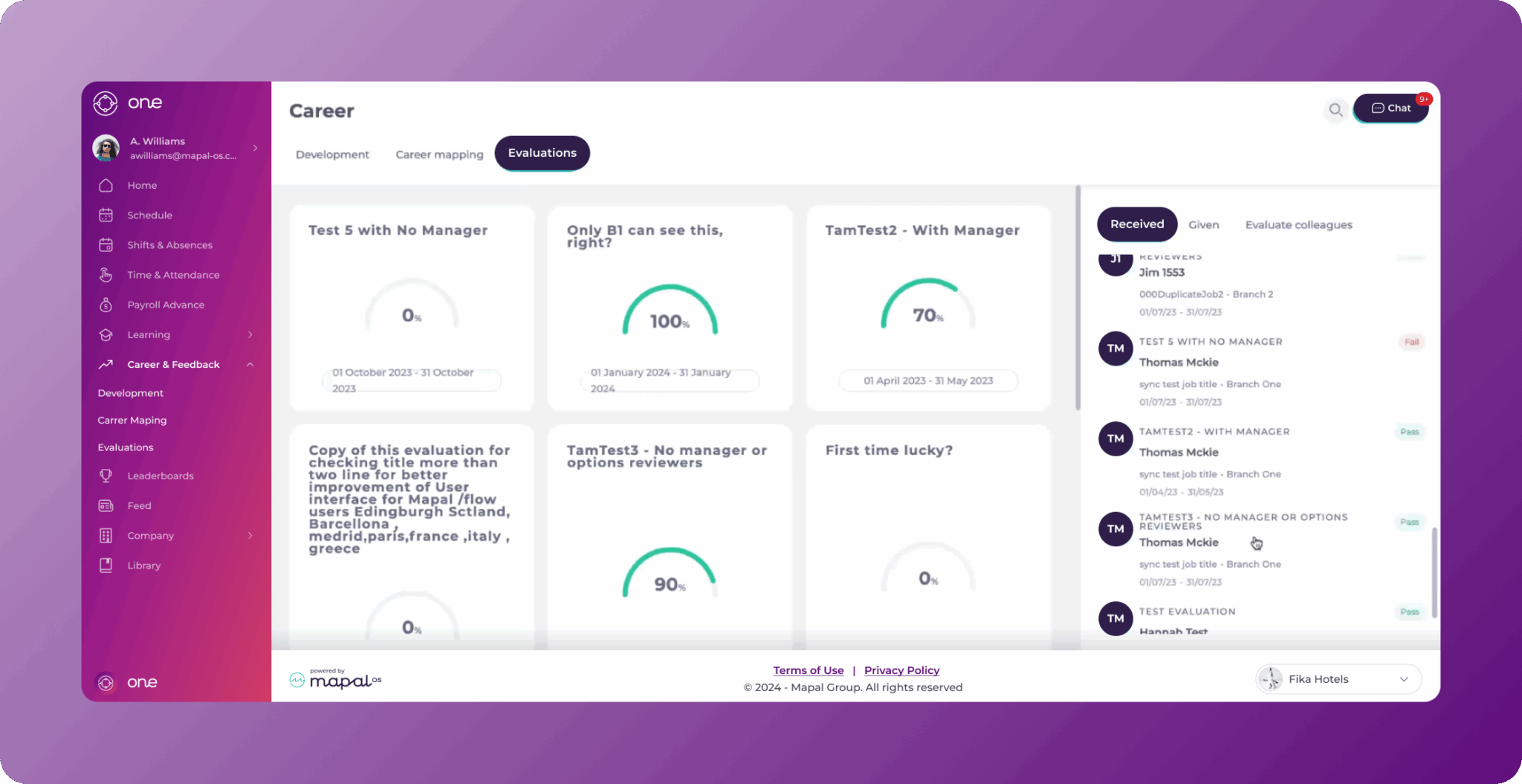
- Select Career > Evaluations from the main menu.

- Select the Evaluations tab.
- There’s a side panel where you can see the evaluations given, received, and create new evaluations. Select the Received tab in the side panel.
- You’ll see a list of all the evaluations received. Select the specific evaluation you wish to review.
- The Feedback Received from window will appear with an overview of the evaluation. Here, you’ll be able to see:
- Name of the evaluator
- Role
- Branch
- Total average
- Name of the evaluation
- Score
- Select See All Answers to view the detailed responses of the evaluator.

- Once the evaluation is reviewed, you can select Return to go back to the evaluation overview OR X to return to the list.

Originally published at https://help.mapal-os.com/mapal-one/career/mapal-one-evaluations/review-received-feedback/
0
0
Was this article helpful?
0 out of 0 found this helpful
Add comment
Please sign in to leave a comment.