Mapal One permite a los empleados realizar verificaciones de conocimientos para evaluar sus habilidades, de modo que puedan identificar áreas de fortaleza y oportunidades de mejora en sus conocimientos profesionales.
Start from: The Mapal One dashboard.
Access Knowledge Checks
- Select Learning > Knowledge checks from the main menu.
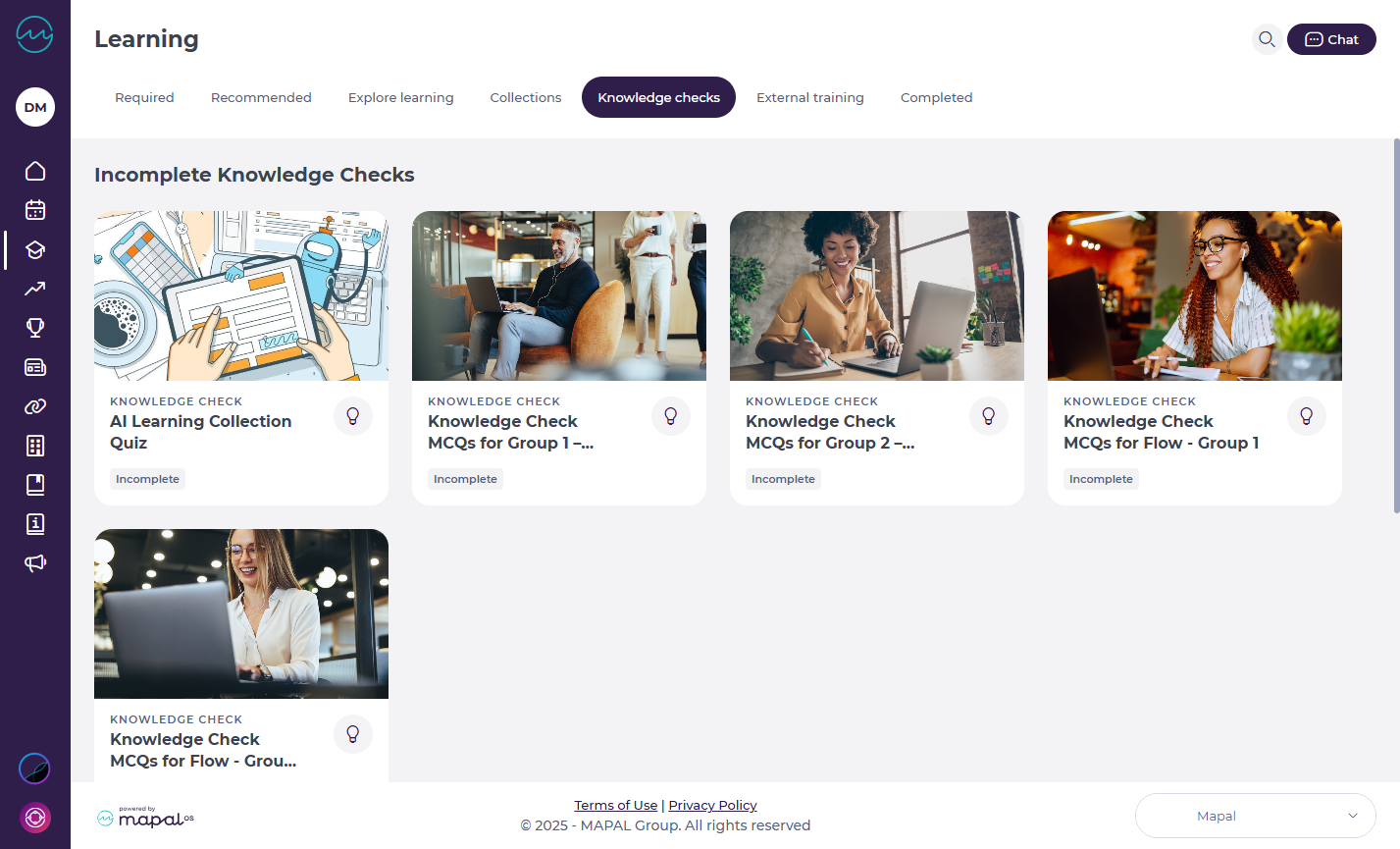
Note: Knowledge Checks are also accessible through Required by You, Recommended for You, or the Collections page.
- You’ll see a list of all Knowledge Checks assigned to you. Each one will display its status: Complete, Incomplete, or Overdue.
- Select the specific tile of the Knowledge Check you want to access.
- A side window opens with the questions.
Completing a Knowledge Check
- Work through the exercises by answering each question.
- Press Next to move between questions. If your training manager has enabled answer assistance, you will see immediate feedback after each question:
- Correct answers highlight in green.
- Incorrect answers highlight in red.
Note: This setting is optional and may not be active for every Knowledge Check, it depends on how your managers have configured the activity.

Results
Once you’ve finished:
- You’ll see whether you achieved a pass or fail.
- The results screen also shows:
- Your score
- The number of correct answers

Originally published at https://help.mapal-os.com/es/mapal-one-es/formacion/comprobaciones-de-conocimientos/realizar-verificaciones-de-conocimientos-para-evaluar-tus-habilidades/
0
0
¿Fue útil este artículo?
Usuarios a los que les pareció útil: 0 de 0
Agregar comentario
Inicie sesión para dejar un comentario.