Mapal One permet aux employés de réaliser des vérifications des connaissances afin d’évaluer leurs compétences et d’identifier leurs points forts ainsi que les opportunités d’amélioration de leurs connaissances professionnelles.
Start from: The Mapal One dashboard.
Access Knowledge Checks
- Select Learning > Knowledge checks from the main menu.
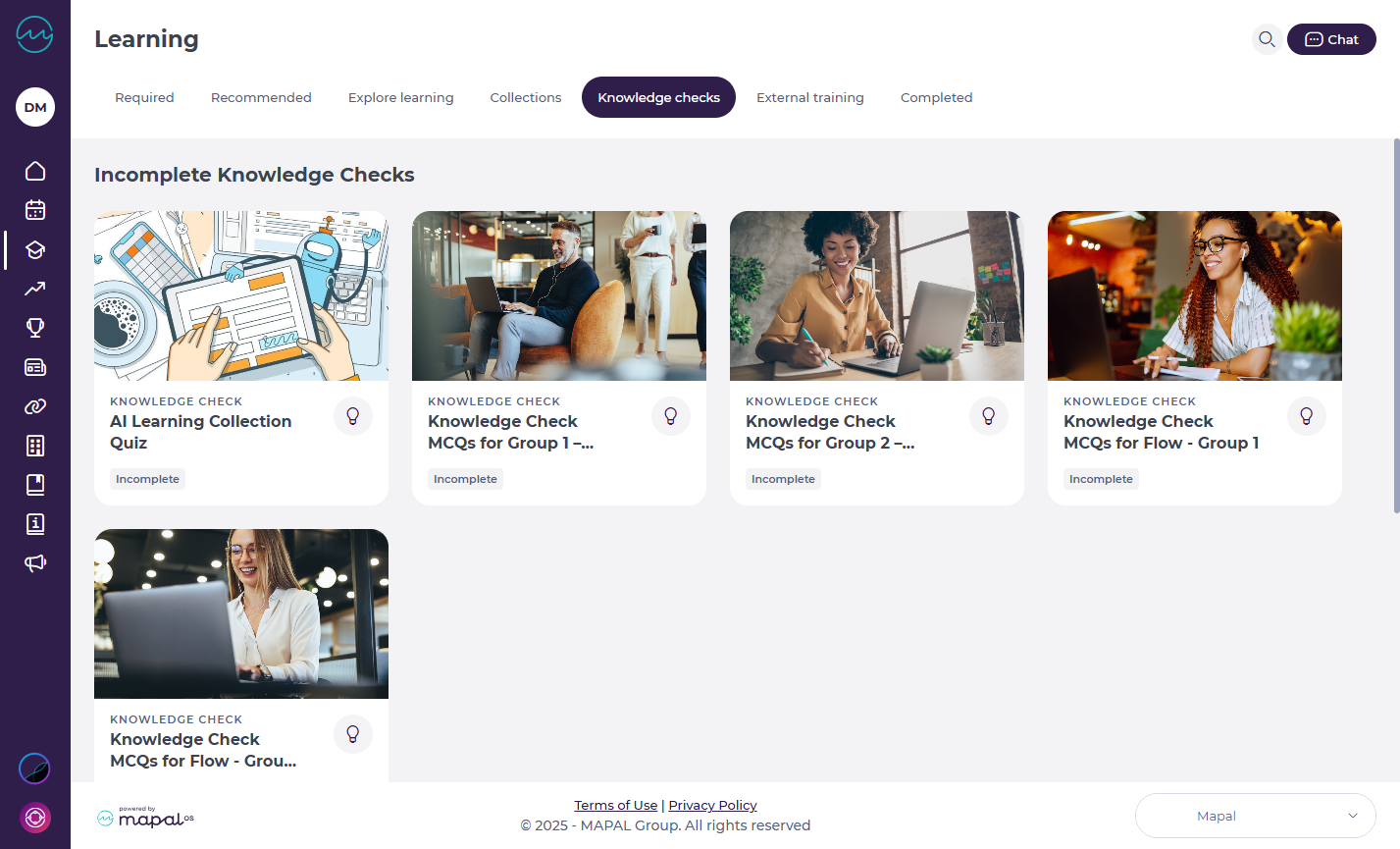
Note: Knowledge Checks are also accessible through Required by You, Recommended for You, or the Collections page.
- You’ll see a list of all Knowledge Checks assigned to you. Each one will display its status: Complete, Incomplete, or Overdue.
- Select the specific tile of the Knowledge Check you want to access.
- A side window opens with the questions.
Completing a Knowledge Check
- Work through the exercises by answering each question.
- Press Next to move between questions. If your training manager has enabled answer assistance, you will see immediate feedback after each question:
- Correct answers highlight in green.
- Incorrect answers highlight in red.
Note: This setting is optional and may not be active for every Knowledge Check, it depends on how your managers have configured the activity.

Results
Once you’ve finished:
- You’ll see whether you achieved a pass or fail.
- The results screen also shows:
- Your score
- The number of correct answers

Originally published at https://help.mapal-os.com/fr/mapal-one-fr/formation/controles-de-connaissances-2/passer-des-varifications-des-connaissances-pour-tester-vos-compatences/
0
0
Cet article vous a-t-il été utile ?
Utilisateurs qui ont trouvé cela utile : 0 sur 0
Ajouter un commentaire
Vous devez vous connecter pour laisser un commentaire.