Mapal One allows your team to review their schedule so that they have full visibility around their hours of work.
Start From: The Mapal One dashboard.
- Select Schedule from the main menu.
The schedule represents your daily work agenda, which you can customise with the Day, Week or Month controls. You can also use the Calendar icon to view a specific date. When in the Month View, you can select a day (if it contains an event) to be taken to the Day View.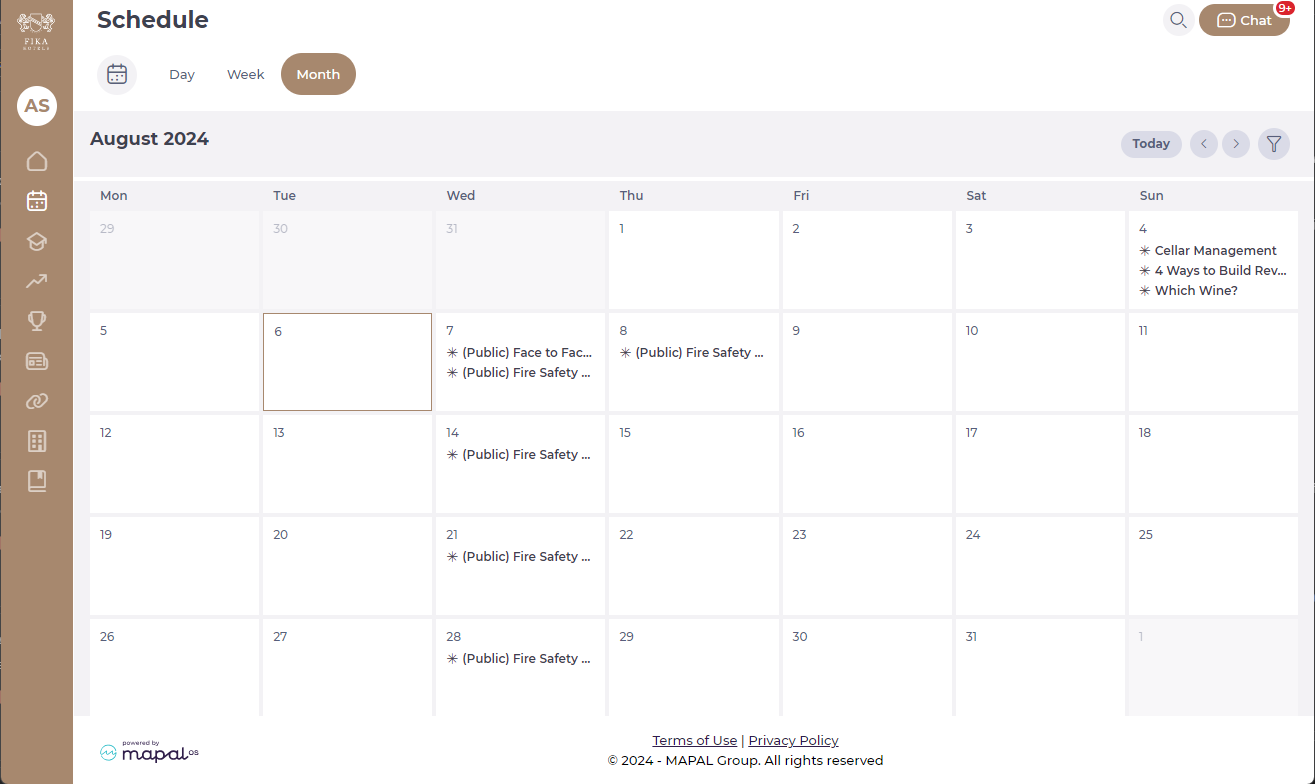
In the schedule, different types of events (e.g., shifts, holidays, absences) are marked with distinct visual indicators, making it easy to understand the schedule at a glance. All relevant due dates are displayed, categorized by product or project, helping employees stay on top of their responsibilities.
Learning items
Here you can find the various learning items assigned to you, such as external trainings, noticeboards, online modules, workbooks, and collections. You can track their training progress and upcoming sessions. Training sessions, whether scheduled or unscheduled, are listed in the Scheduler.
Each learning item is distinguished by a different icon, and you’ll be able to see the statuses, times, and other details related to each of them.
Career items
Track career activities assigned to you, such as appraisals, competencies, and goals. Each career item is distinguished by a different icon, and you’ll be able to see the statuses, times, and other details related to each of them.
Company items
Company items allow you to see incomplete, complete, and overdue performance surveys within the company.
Shift & Absences
Employees can manage absences and shifts within the scheduler:
- Holidays & Absences: Allows employees to view their assigned holidays and submit time-off requests, helping with vacation planning and ensuring appropriate staffing levels. View and manage holidays, IT absences, and other leave requests with options such as Preference, Mark as Viewed, and Viewed.
- Shifts: Employees can easily view their assigned shifts, submit shift requests, and manage shift proposals.
Originally published at https://help.mapal-os.com/mapal-one/getting-started-mapal-one/review-your-mapal-one-schedule/
0
0
Was this article helpful?
0 out of 0 found this helpful
Articles in this section
- Manage your Mapal One user profile
- Search Feed, learning, development, people or links
- Review your Mapal One schedule
- Chat with your team
- Switch from GIR Staff to Mapal One
- View your favourites in Mapal One
- Review your Compliance tasks in Mapal One
- Using Filters in Mapal One
- Understand the Mapal One dashboard
- Access Mapal OS (as an employee)
Add comment
Please sign in to leave a comment.